Once you have created groups and assigned users to those groups, you may need to assign additional individual permissions. Individual permissions override group permissions.
To assign individual permissions, complete the following steps:
Select from the Security window.
Select a user from the Name drop- down menu.
Click . The Edit User window will appear.
Make your changes (disable or enable as many programs, modules or functions as you need).
Click to save the changes and continue editing. Or, click to undo changes and start over, leaving only the existing group permissions.
Click to return to the Security window.
Note: Permissions do not take affect until the user exits and re-enters the software.
 from the Security window.
 . The Edit User window will appear.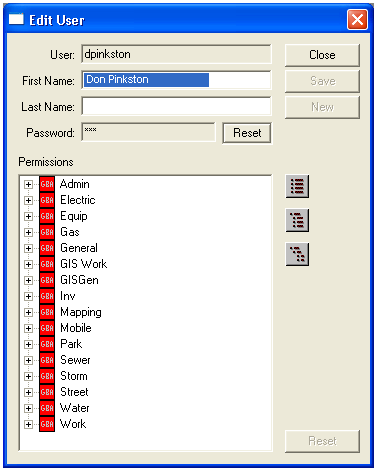
 to save the changes and continue editing. Or, click
  to undo changes and start over, leaving only the existing group permissions.
 to return to the Security window.