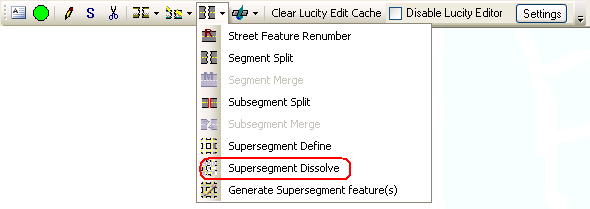
The Lucity GIS Edit toolbar features a Supersegment Dissolve tool that enables a user to delete Supersegments from the geodatabase and Lucity Desktop. During this process, the system disassociates the Supersegment from its related Subsegment records. The Subsegments are retained, and the Supersegment is deleted.
This tool is enabled only when: 1) one or more features are selected in the map, and 2) those features are linear.
How To Dissolve a Supersegment
Start an edit session in ArcMap.
Select a Street Supersegment in the map.
Click the Supersegment Dissolve tool on the Lucity GIS Edit toolbar.
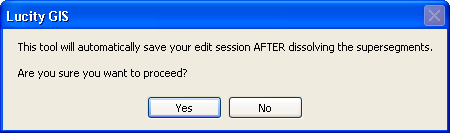
The Dissolve Tool requires the system to save edits before and after dissolving the Supersegment. When prompted (see example below), click Yes.
The following dialog appears. Click Yes, to delete the Inventory record(s) for the selected Supersegment(s) from Lucity Desktop.
 The Lucity GIS Edit toolbar features a Supersegment Dissolve tool that enables a user to delete Supersegments from the geodatabase and Lucity Desktop. During this process, the system disassociates the Supersegment from its related Subsegment records. The Subsegments are retained, and the Supersegment is deleted.