Two items must be configured in the Lucity Security program in order for a user to access the Lucity Web Map:
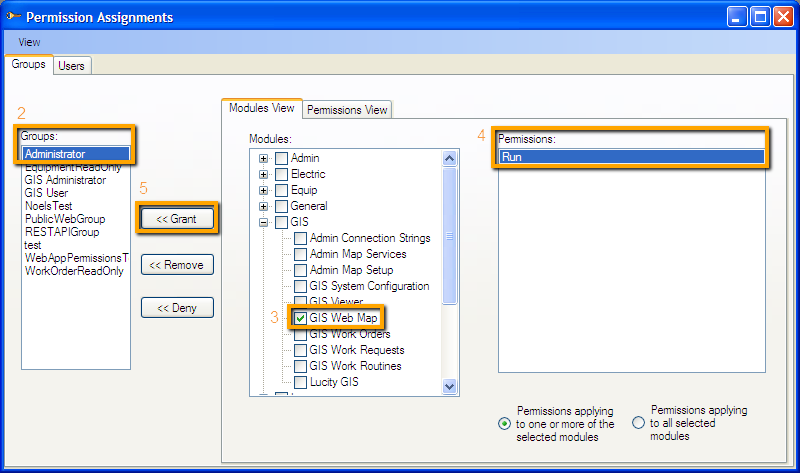
The user needs permission to access the Web Map.
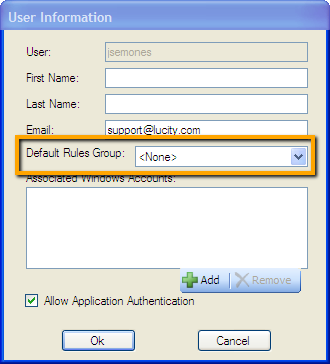
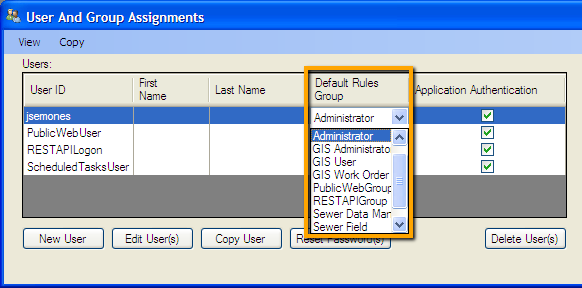
The user must be assigned to a Default Rules Group. The Default Rules Group controls which Web Map that user sees. This setting is also used elsewhere in the Web Map setup.
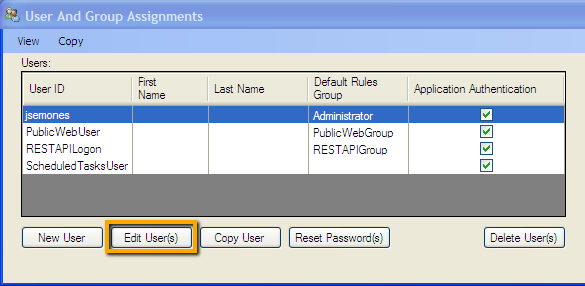
In the Lucity Security program go to Security > User/Group Setup. The following screen will appear.
Select a user from the list and click Edit User(s).
Select a group out of the Default Rules Group and click OK
-OR-
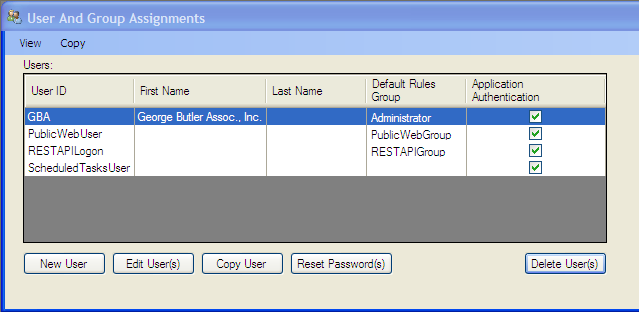
In the Lucity Security program go to Security > User/Group Setup. The following screen will appear.
Select the record or records in the grid to assign one default group to. Click in the Default Rules Group field and select the group to apply to those users.
 How to give users permissions to view the Web Map