Layers
The Layers section displays all the feature layers that are linked to modules inside of Lucity.
 Requires the GIS > GIS Setup Layer > Run Security permission to view this section.
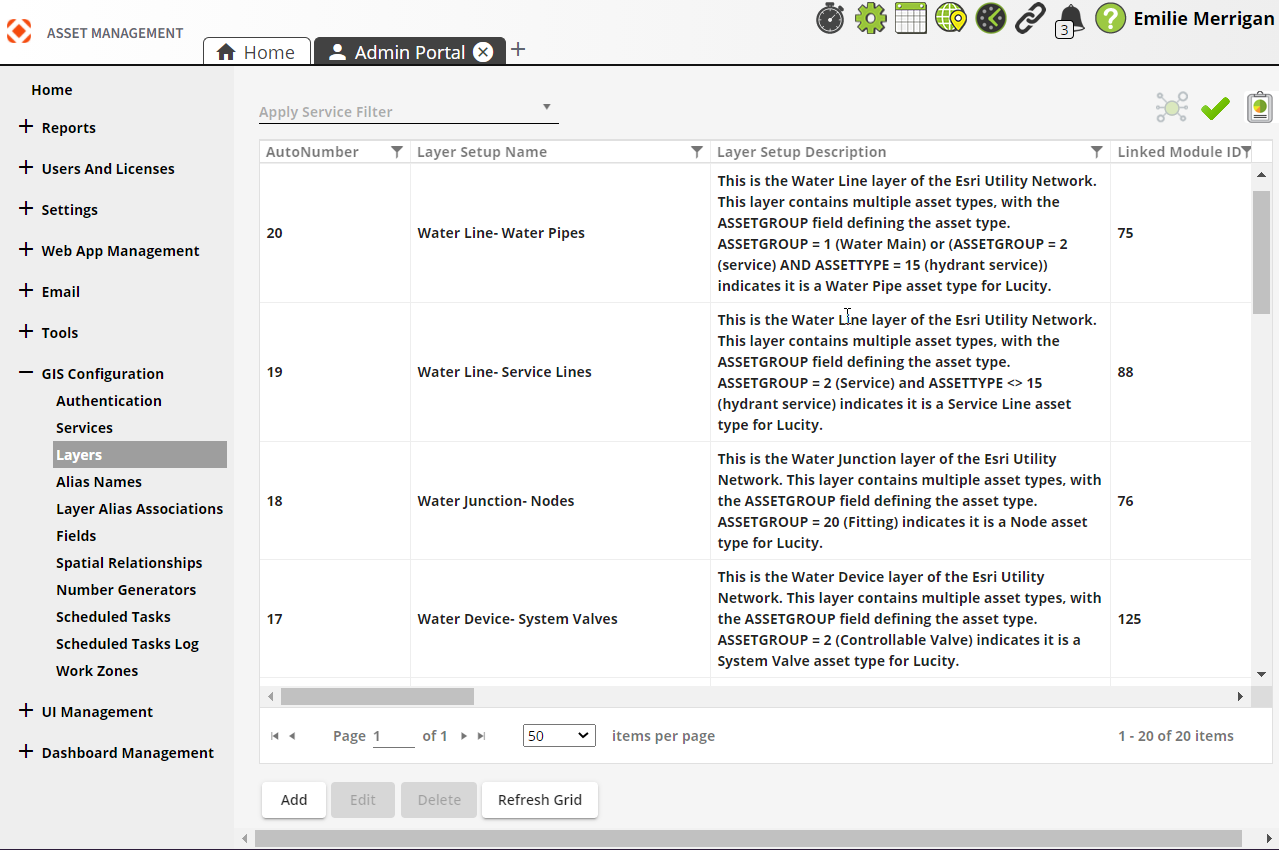
| Buttons | Description |
|---|---|
 Relationships Relationships |
Displays relationships of the selected item to data in other GIS Configuration sections of the Admin Portal. |
 Validation Validation |
Validates the selected layer. When viewing the Validation results, users will have the option to Save as PDF. |
 Reports Reports |
Opens a list of Reports available for the selected layer(s):
|
|
|
Adds a new layer. |
|
|
Opens a selected layer for editing. |
|
|
Deletes a selected layer. |
|
|
Refreshes the current grid. |
 How to add GIS layersRESULT?
- Open
 .
. - In the menu on the left select GIS Configuration > Layers.
-
Select Add at the bottom. The following pop-up appears:
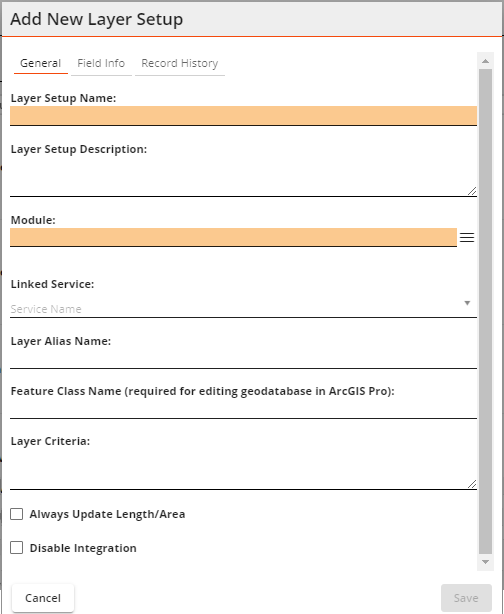
- Enter a Layer Setup Name (required).
- Enter a Layer Setup Description if desired.
- Select a Module (required).
- Select a Linked Service.
- Enter a Feature Class Name.
- Enter a Layer Criteria for ArcGIS Utility Network layers. This identifies an asset group and must be unique. This enables you to map the same GIS layer to multiple modules in Lucity.
- Select additional options if desired.
- Select Save. The Layer appears in the grid.
How to run report